Add-ons
Add-ons: the heavy lifting, for the teams that need it
Most of Ramphearth comes with your plan. Two features are add-ons you switch on beside it: Client portals and Tickets. They go on the same subscription as your plan, never a separate bill, and you pay only for the people on your team who work them. The clients and requesters on the other side are free.
Why these two are add-ons
They're the heaviest things we run on our servers, and not everyone needs them. A help desk sends and receives email for every reply, runs public web forms and status pages, and keeps business-hours clocks on every ticket. A client portal keeps every client's files and versions, sends reminders on schedule, files email onto the right client, and seals and keeps signed agreements. That work costs us real server time, mail delivery and storage for every team that uses it.
A guild, a small group or a church that only chats would be paying for all of that if it were folded into every plan. So it isn't: plan prices stay low for everyone, and the teams that do client work or run a help desk pay a small amount for each person who uses it.
- Per person who works it: a portal licence for each staff member who works client portals, an agent seat for each person who answers tickets. Your clients, requesters and collaborators never need one.
- On your plan's subscription: more seats start at once, fewer take effect at your renewal.
- Try it first: a free trial once per workspace, with no card.
- Nothing is deleted when one ends: you can still read and export everything for 30 days, and switching it back on brings it all back.
Client portals
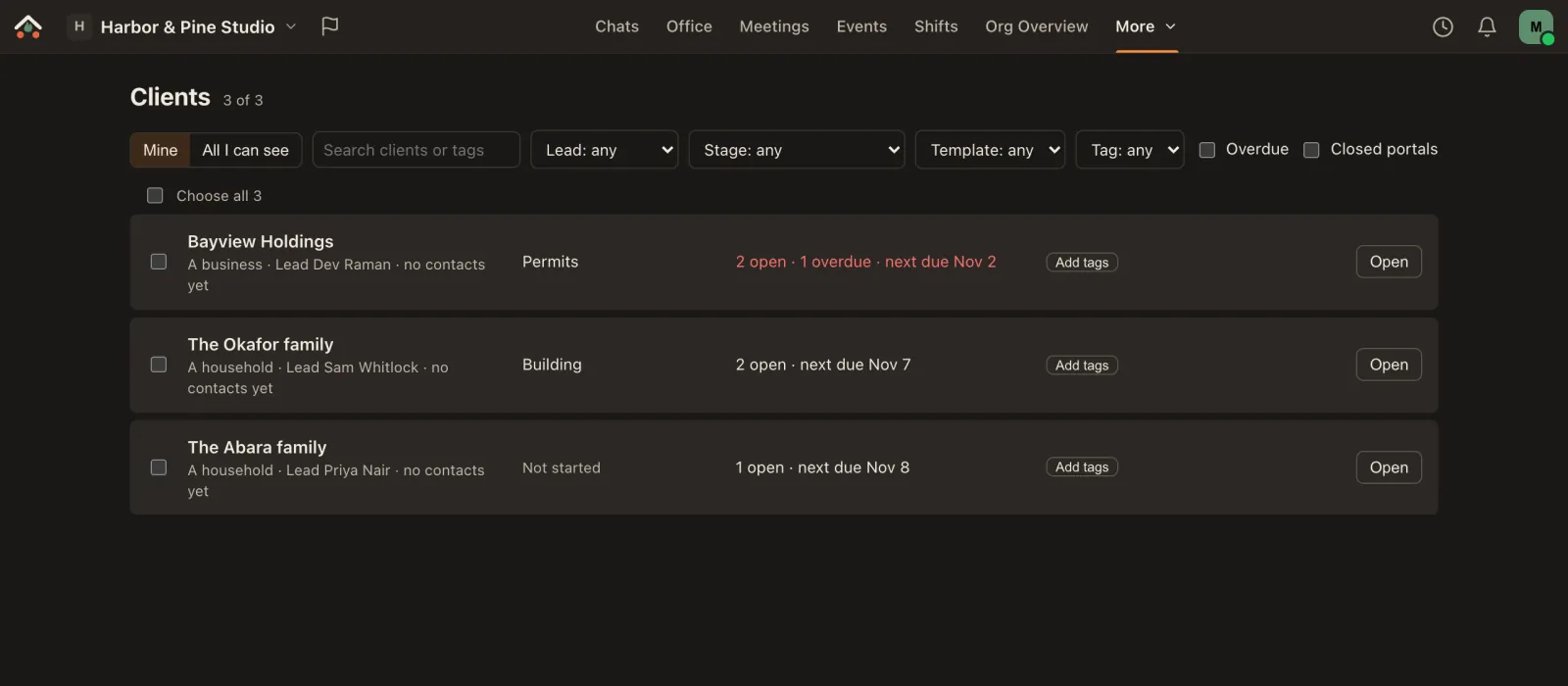
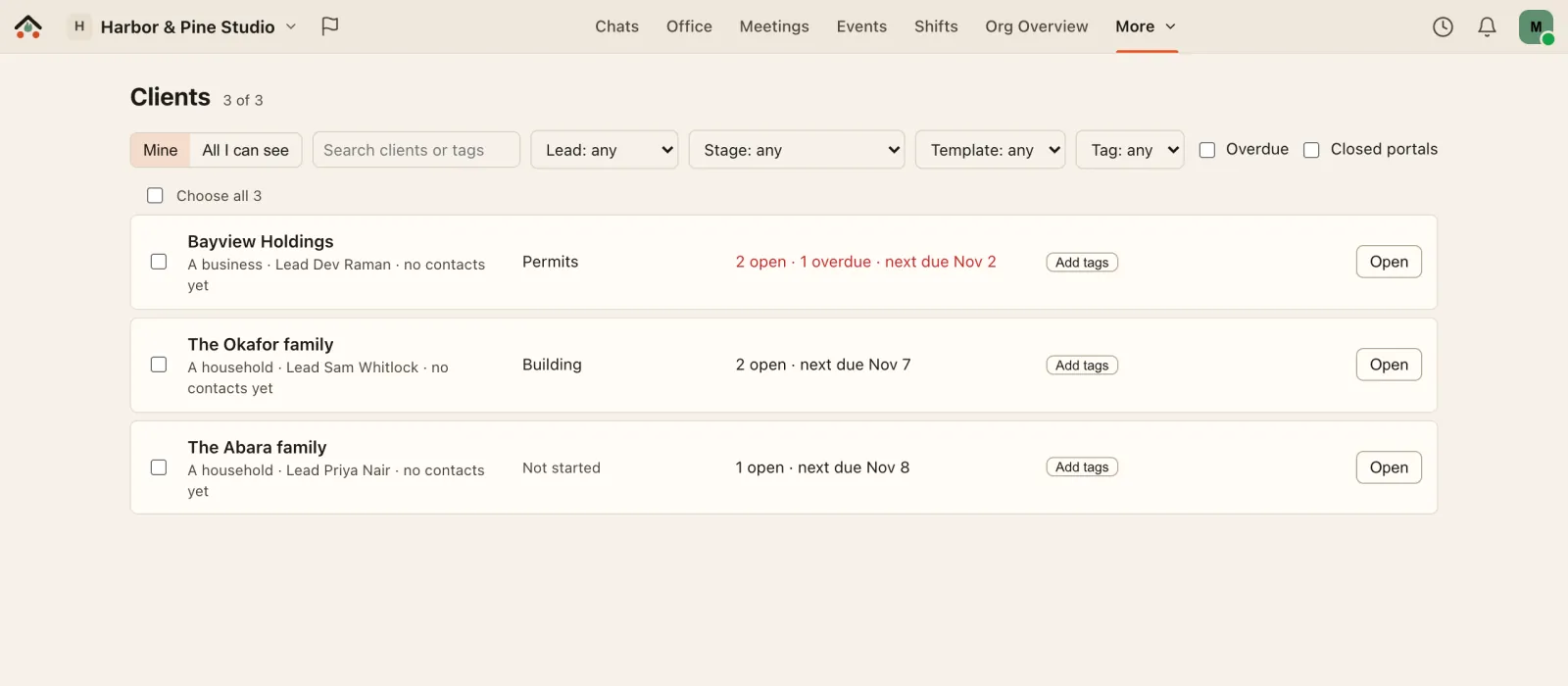
A private, branded space for each client, with everything the work needs. Each client sees their own portal and nothing else in your workspace; your team sees every client on one Clients page.
- Messages, files and requests: a file library with versions, checklists and questions with due dates, and reminders that go out on their own at 10:00 the client's time.
- Stages and a timeline: clients see where their project stands; your team sees what happened and when.
- Client channels: each client appears in your sidebar with the conversation, internal notes only your team sees, and a timeline. Email a client from Ramphearth and their replies are filed on the same client.
- Your look: your logo, cover and colour on the portal and in its emails, and templates that set up a new client's folders, requests and stages in one go.
- Contracts: import a PDF, place signature fields (Ramphearth suggests where; you accept each one), review it with comments and versions, and start the next one from a template.
- Proposals: fill in a ready-made agreement, attach an invoice, and the client signs and pays in one step.
- Payments into your own Stripe account: connect your business's Stripe account and clients pay a signed proposal by card in Stripe's own checkout. The money goes straight to you; Ramphearth takes no cut and never sees the card, so Stripe's own card fees are the only cost. Or use your own payment link, or mark it paid when the cheque arrives.
- E-signatures: signers need no account, can sign in order, and everyone gets a sealed PDF with a certificate. E-signatures are included in Business. How e-signatures work.
What it costs: $5 per portal licence a month, or $50 a year, for each staff member who works client portals. Owners and Admins set portals up without one, and contacts are free: Business has room for at least 250 of them, or 50 per paid user.
Which plans can buy it: Business and Enterprise. On Creator, contracts, sign-and-pay proposals, card payments into your own Stripe account and e-signatures (25 envelopes a month) are part of the plan, with no add-on and no licence; client portals themselves are Business's.
Free trial: 14 days, up to 5 portal licences, once per workspace, no card.
Tickets
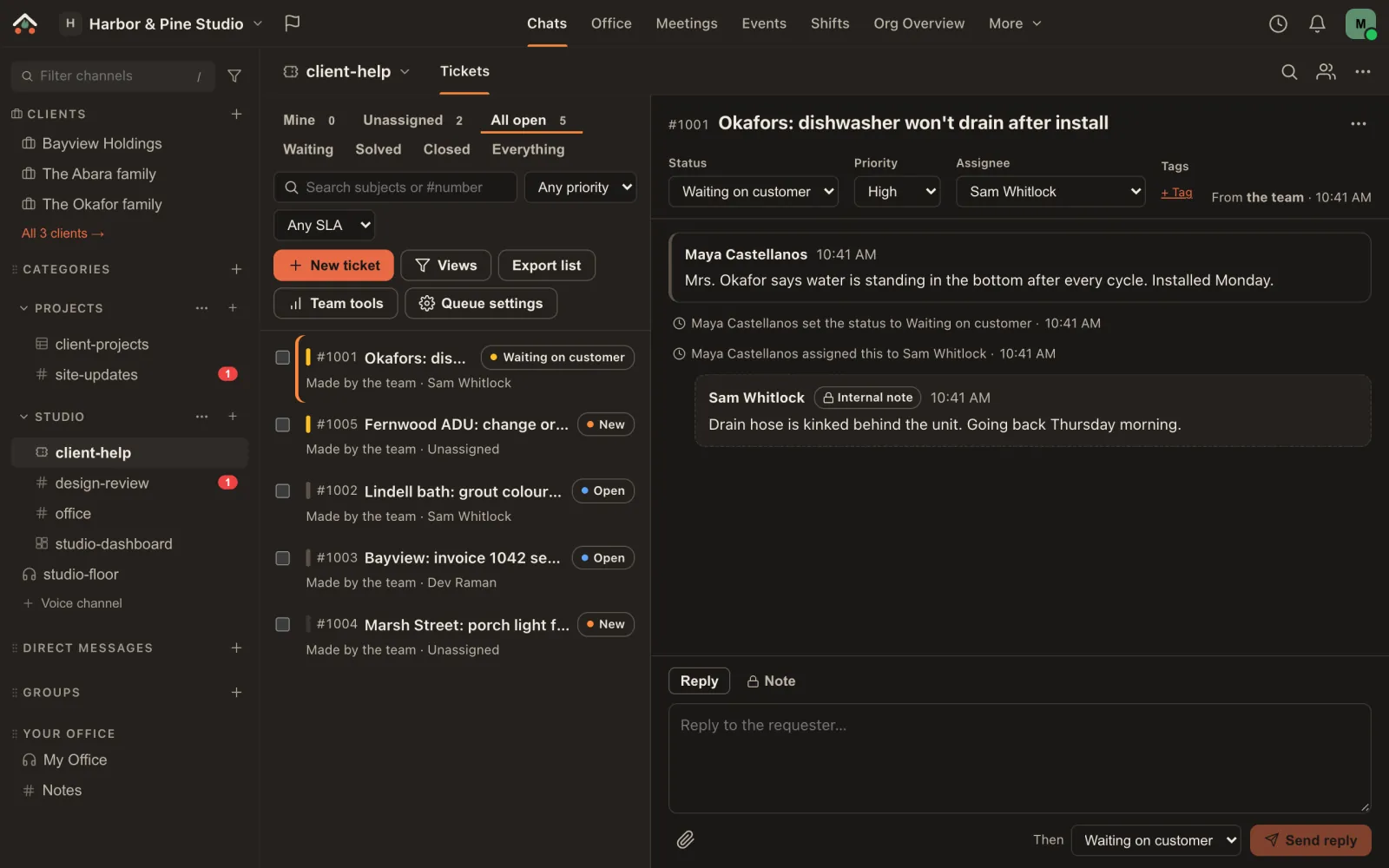
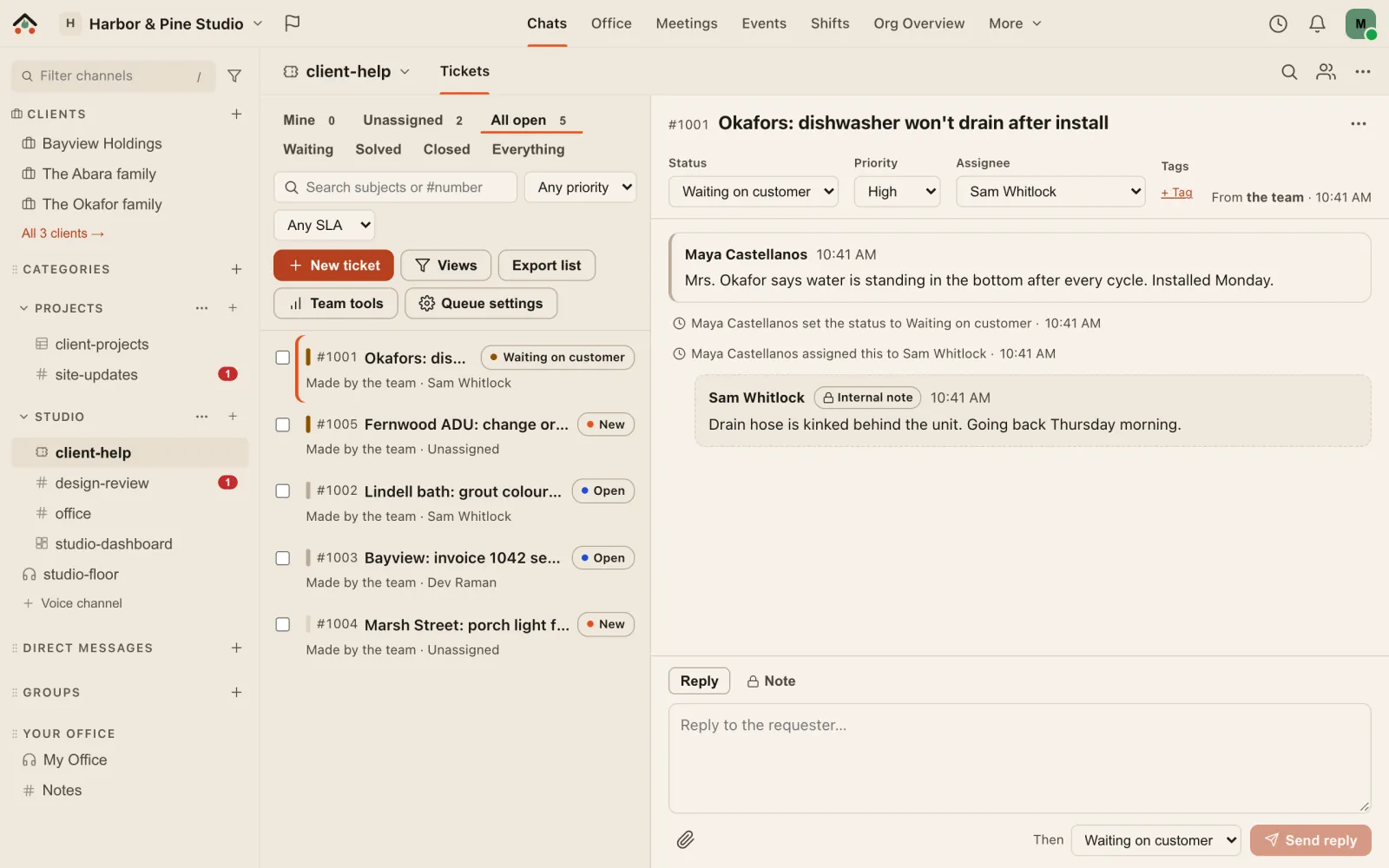
A help desk in a channel. Requests from customers, clients or your own people, each with a status, a priority and someone to own it.
- Every way in: by email, by a web form with a status page for the requester, from a chat message, or from a client's portal.
- Answer as a team: replies the requester sees and internal notes they never do, saved replies, custom fields, views, bulk changes and snooze.
- Nothing slips: assignment rules (round robin, least busy or by skill), response targets that count only business hours, and an alert wherever you are in Ramphearth when a ticket is assigned to you or arrives in your queue.
- Requesters see only their own requests, in plain words, never your notes, tags or who's working on it.
- Reports and dashboards: open, overdue and unassigned counts, first-response times, and widgets for the morning dashboard.
What it costs: $5 per agent a month, or $50 a year, for each person who answers tickets. People asking for help are free.
Which plans can buy it: Ministry, Creator and Business (Enterprise follows Business). A church office uses it for facilities and AV requests; a creator for sponsor and community questions; a business for customer support.
Free trial: 14 days, up to 5 agents, once per workspace, no card.
How add-ons are billed
- Add one from Org Settings → Billing → Add-ons. It becomes an item on your workspace's existing paid subscription, like extra storage. Free workspaces upgrade to a paid plan first.
- More seats start straight away and are prorated on your next invoice. Fewer seats take effect at your renewal.
- Removing one keeps it on until the end of the period you paid for. After that, and after a trial or a plan change that can't have it, it's read-only for 30 days, then off. Nothing is deleted.
- Running Ramphearth on your own server? Every add-on is on and free. Self-host.
Coming soon: a client portal on your own domain, such as clients.yourfirm.com. It isn't built yet; we'll say so on the pricing page when it is.
Prices are in US dollars. Every plan and price is on the pricing page.